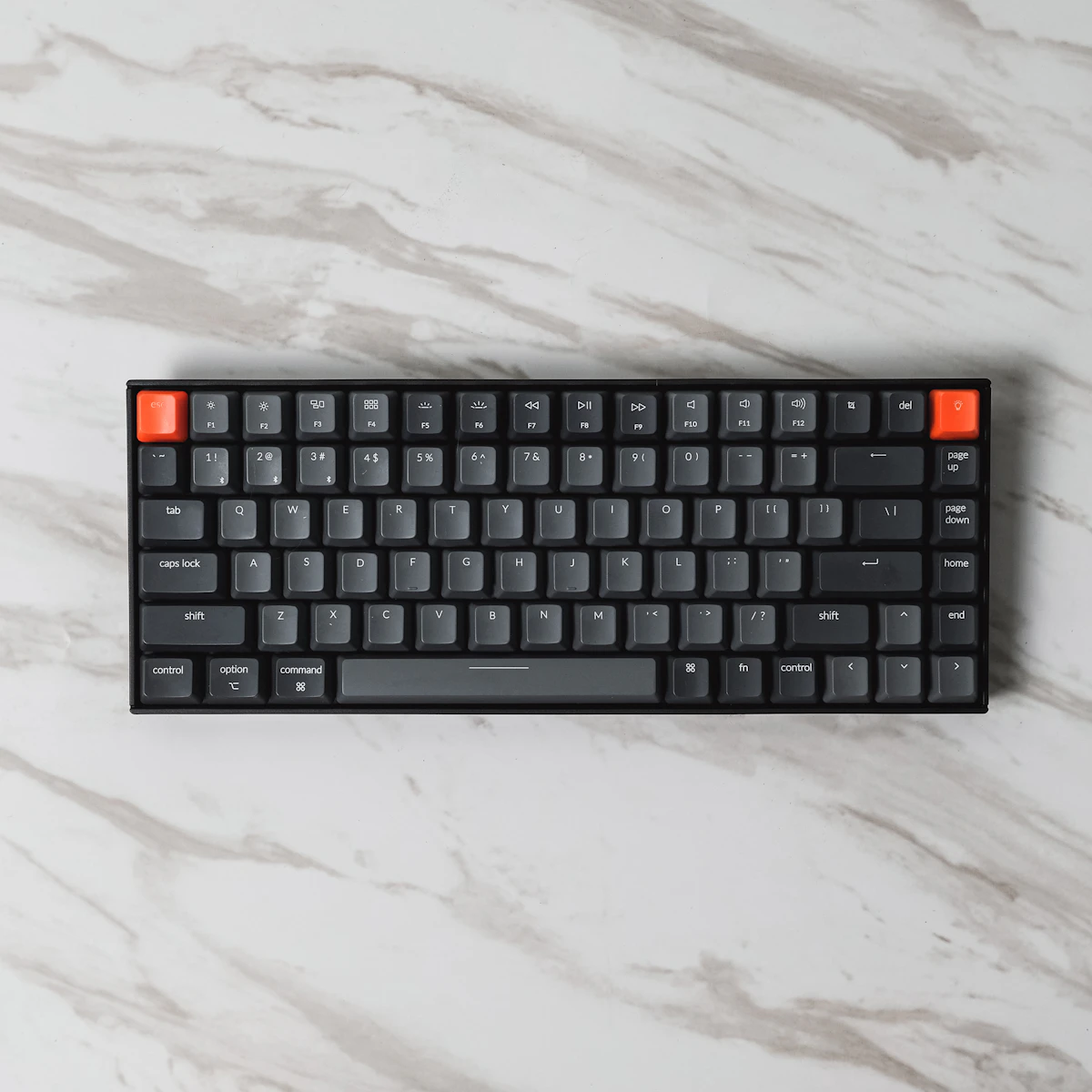
A mechanical keyboard is one of those purchases where you do not realize what you have been missing until you try one. The crisp key feel, the satisfying feedback, and the durability that lasts a decade or more make membrane keyboards feel like typing on wet cardboard by comparison. But mechanical keyboards have evolved far beyond the loud, clunky stereotype. Modern boards are quieter, smarter, and versatile enough to handle eight hours of spreadsheet work followed by a competitive gaming session.
Key Takeaways
- Understanding Mechanical Switch Types
- 1. Keychron Q1 Max
- 2. Logitech G Pro X TKL
- 3. ASUS ROG Azoth
This guide reviews mechanical keyboards that excel at both work and gaming — because most of us need one keyboard that does everything well, not two specialized ones taking up desk space.
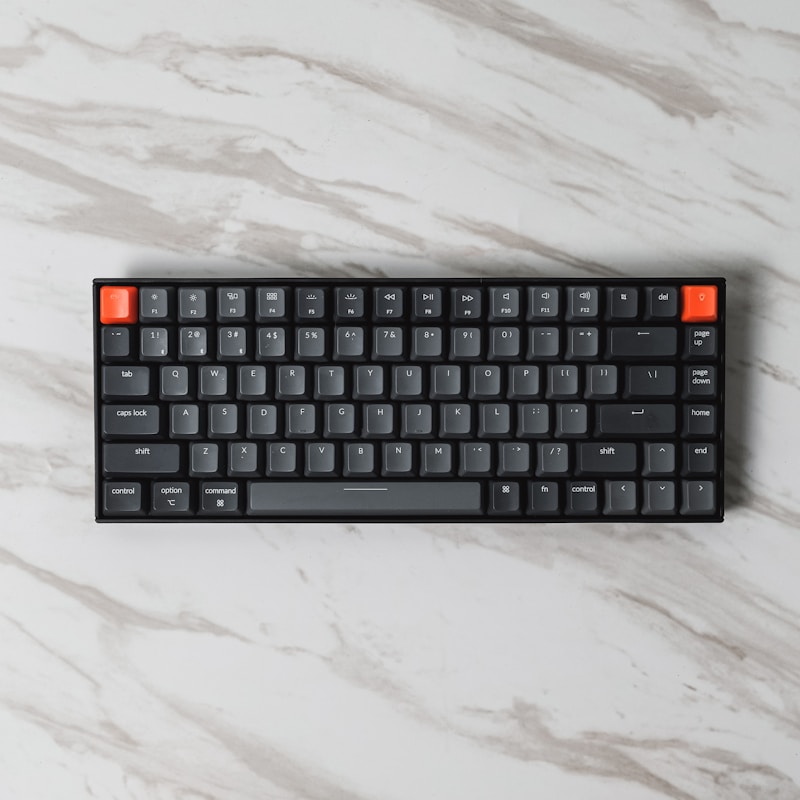
Understanding Mechanical Switch Types
The switch under each key determines how the keyboard feels and sounds. There are three main categories, and your preference will guide your purchase decision.
Linear Switches
Linear switches have a smooth, consistent keystroke from top to bottom with no bump or click. They are quiet and fast, making them popular with gamers and people who type quickly. Cherry MX Red, Gateron Red, and Gateron Yellow are common linear options.

Tactile Switches
Tactile switches have a noticeable bump partway through the keystroke that tells your finger the key has registered. This feedback makes them excellent for typing because you know when a key has activated without pressing it all the way down. Cherry MX Brown and Gateron Brown are standard tactile options.
Clicky Switches
Clicky switches combine the tactile bump with an audible click sound. They provide the most satisfying feedback but are loud enough to irritate coworkers and family members. Cherry MX Blue is the classic clicky switch. Use these only if you work alone or enjoy living dangerously.

For dual work-gaming use, tactile switches are the best compromise. They provide typing feedback without being too loud for video calls or shared spaces, and they perform well in games.
1. Keychron Q1 Max
The Keychron Q1 Max is the keyboard enthusiast''s choice that happens to be practical enough for everyday work. The full aluminum body has a premium heft that keeps it planted on your desk, and the gasket-mounted design produces a satisfying typing sound that is deeper and more refined than most keyboards at any price.
Pros
- Premium aluminum construction with exceptional build quality
- Gasket mount design for a softer, more pleasant typing experience
- Hot-swappable switches — change switches without soldering
- Tri-mode connectivity: USB-C, Bluetooth 5.1, and 2.4GHz wireless
- QMK/VIA compatible for deep customization of key mappings and macros
- Available with multiple switch options from the factory
Cons
- Heavier than plastic keyboards, less portable
- No built-in wrist rest
- QMK/VIA customization has a learning curve for newcomers
Price: $219
Best for: Enthusiasts who want a premium typing experience with maximum customization potential.
2. Logitech G Pro X TKL
Logitech''s G Pro X TKL bridges the gap between gaming performance and office practicality. The tenkeyless design saves desk space without sacrificing the function row, and the LIGHTSPEED wireless technology provides lag-free performance that competitive gamers demand. For work, the quiet GX Brown switches and professional appearance make it office-appropriate.
Pros
- LIGHTSPEED wireless with 1ms response time for competitive gaming
- Clean, professional design that works in office settings
- Hot-swappable switches for easy customization
- Excellent battery life — up to 50 hours with RGB lighting
- Logitech G HUB software for macro programming and RGB control
Cons
- Plastic body feels less premium than aluminum alternatives
- G HUB software can be buggy on occasion
- Premium price for a plastic keyboard
Price: $199
Best for: Gamers who need wireless performance and a keyboard that looks professional for work.
3. ASUS ROG Azoth
The ROG Azoth stands out with a built-in OLED display on the keyboard that shows system stats, custom animations, or useful information like CPU temperature and time. Beyond the screen gimmick, it is a genuinely excellent keyboard with a three-layer dampening system that makes it one of the quietest mechanical keyboards available.
Pros
- Built-in OLED display with customizable information
- Three-layer sound dampening for quiet operation
- Gasket mount design for comfortable typing
- Hot-swappable switches with included switch lubing kit
- Tri-mode connectivity with excellent wireless performance
Cons
- Higher price point than many competitors
- 75% layout may not suit users who need a number pad
- OLED display is a novelty that some users will never use
Price: $249
Best for: Tech enthusiasts who want advanced features and quiet operation.
4. Royal Kludge RK84
The RK84 delivers mechanical keyboard quality at a price point that makes it accessible to everyone. The build quality obviously cannot match $200+ keyboards, but it punches well above its weight with tri-mode connectivity, hot-swappable switches, and decent stabilizers. For someone making the jump from membrane keyboards, the RK84 is the ideal entry point.
Pros
- Outstanding value under $70
- Tri-mode connectivity (wired, Bluetooth, 2.4GHz)
- Hot-swappable switches for future upgrades
- Compact 75% layout with dedicated arrow keys
- South-facing LEDs for better keycap compatibility
Cons
- Stabilizers need modification for best feel
- Plastic case feels hollow compared to premium options
- Stock keycaps are mediocre quality
- Software is basic compared to Logitech or Razer
Price: $65
Best for: First-time mechanical keyboard buyers who want quality without overspending.
5. Razer BlackWidow V4 75%
Razer has shed its reputation for making flashy-but-flimsy peripherals. The BlackWidow V4 75% is genuinely well-built with a satisfying typing experience, hot-swappable switches, and Razer''s refined Synapse software for customization. The dedicated media roller and macro key add workflow productivity that pure gaming keyboards lack.
Pros
- Premium build quality with aluminum top plate
- Dedicated media roller and macro button
- Hot-swappable Razer switches
- Razer Synapse software is polished and feature-rich
- Magnetic wrist rest included
Cons
- Wired only — no wireless option
- Razer switches are not compatible with standard Cherry-style switches
- RGB lighting can be distracting in professional settings
Price: $189
Best for: Users who want a productivity-focused mechanical keyboard with gaming DNA.
Comparison Table
| Keyboard | Layout | Connectivity | Hot-Swap | Price |
|---|---|---|---|---|
| Keychron Q1 Max | 75% | Tri-mode | Yes | $219 |
| Logitech G Pro X TKL | TKL | Tri-mode | Yes | $199 |
| ASUS ROG Azoth | 75% | Tri-mode | Yes | $249 |
| Royal Kludge RK84 | 75% | Tri-mode | Yes | $65 |
| Razer BlackWidow V4 | 75% | Wired | Yes | $189 |
Keyboard Maintenance Tips
A mechanical keyboard can last a decade or more with basic care:
- Clean regularly — Use compressed air weekly to blow out dust and debris. Deep clean with removed keycaps every few months.
- Pull keycaps for deep cleaning — Soak keycaps in warm soapy water, dry thoroughly, and reinstall. Use a keycap puller to avoid damage.
- Lube stabilizers — If large keys like the spacebar or shift rattle, applying a small amount of dielectric grease to the stabilizers makes a huge difference.
- Use a desk mat — A desk mat under your keyboard reduces vibration, dampens sound, and prevents the keyboard from sliding.
- Avoid eating over your keyboard — Crumbs are the enemy of mechanical switches. If this is impossible, clean more frequently.
Investing in a quality mechanical keyboard transforms your daily computing experience. Whether you spend most of your day writing emails or most of your evening in competitive matches, the right keyboard makes both activities more enjoyable and more effective.
Related Articles on BlogVerdict
- Best Gaming Monitors for Different Budgets in 2026 (Gaming)
- Best Video Games to Play in 2026 (Gaming)
- Best Budget Laptops for Remote Work in 2026 (Technology)
- Best AI Tools for Work and Study in 2026 (Technology)
- Best Noise-Canceling Headphones for Work in 2026 (Technology)
Frequently Asked Questions
How were these selections chosen?
Selections are based on a combination of expert analysis, user reviews, real-world performance testing, and value for money. We update our recommendations regularly as new options become available.
Are these recommendations suitable for beginners?
Yes. We include options for all skill levels and budgets, with clear explanations of what makes each choice stand out.